Employee and Customer Onboarding Automation with AI
Onboarding, whether for a new employee or a new customer, involves dozens of steps across multiple teams and systems. AI orchestrates the full workflow and makes sure every step completes.
The Challenge
At a 1,200-employee SaaS company, employee onboarding spans 11 systems: Workday for the offer and profile, Okta for provisioning, Jira Service Desk for laptop requests, a shared mailbox for facilities, ADP for payroll, Lattice for goals, Slack for team access, a spreadsheet HR maintains to track everything, and three more. Each new hire triggers 23 discrete tasks owned by 7 different teams. Tasks fall through the cracks predictably: IT hasn't shipped the laptop by day one, the badge isn't active, the new hire joins a week-one training they're not enrolled in. The HR ops team spends 6-8 hours per hire just chasing. The new hire's first week feels chaotic, and 30-day NPS scores reflect it. Customer onboarding has the same shape: 14 tasks across Sales, CS, Finance, and Legal, with no single system of record and a shared Slack channel where nothing is assignable.
Our Approach
A workflow orchestrator built on Temporal (for durable execution) and Claude Sonnet 4.5 (for natural-language interaction and exception handling) triggers every required task when a new hire or customer is created in Workday or Salesforce. It creates tickets in Jira, provisions access in Okta, creates the ADP record, sends Slack invites to team channels, and schedules training in Lattice, each with the right owner and a deadline. A conversational agent in Slack answers onboarding questions ('where do I find the expense policy', 'how do I get my second monitor') using retrieval against your policy library. An exception agent monitors task state and escalates before deadlines slip. A live dashboard in Looker or a lightweight web UI shows completion status across every active onboarding, with the HR team working from the exception list rather than polling each system.
How We Do It
Onboarding Workflow Orchestration
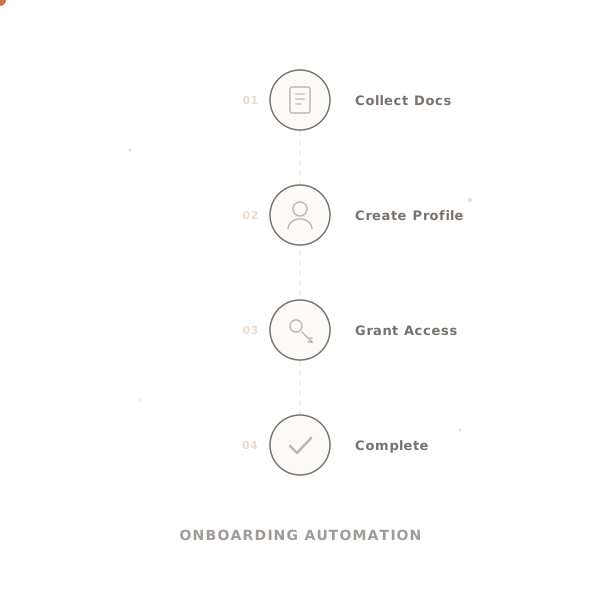
When a new employee record is created in Workday (via the pre-hire event) or a new customer is created in Salesforce (via the opportunity closed-won event), Temporal starts a durable workflow. The workflow fires task creation across every required system: Jira ticket for laptop with the specific model based on role, Okta group membership for initial access, ADP employee record, Slack channel invitations based on team, Lattice goal template assignment, facilities notification for desk setup, and calendar invites to week-one onboarding sessions. Each task carries owner, due date, and dependency information. Failure mode: a downstream system is down (Jira is in maintenance). Temporal retries with backoff and surfaces persistent failures to the HR ops queue rather than losing the task.
Proactive Communication and Reminders
The new hire or customer receives a tailored communication stream: a welcome email with first-day logistics, a Slack invite and a how-to guide, reminders about paperwork deadlines (I-9, direct deposit, benefits enrollment) at T-7, T-3, and T-1 days, and a check-in message on day one. Task owners receive reminders before their tasks go overdue: T-3 days, T-1 day, day-of. The reminder cadence is configured per task type. Failure mode: a reminder email bounces (wrong address, mailbox full). The system detects the bounce from the SMTP response and alerts HR ops to update the contact rather than silently failing.
Conversational Q&A Support
A Slack or Teams bot (Claude Sonnet 4.5 with RAG over your policy library, benefits documents, and IT knowledge base) answers common onboarding questions instantly: 'what's my expense per diem', 'how do I get a second monitor', 'where's the benefits enrollment link', 'when does my health insurance start'. Questions the agent can't answer with confidence route to the appropriate team with the conversation context attached. Customer onboarding uses the same pattern in email or a customer portal. Failure mode: a question is sensitive (salary comparison, visa question). The agent detects the category and routes directly to the appropriate specialist rather than attempting an answer.
Completion Tracking and Reporting
A live dashboard (Looker, Metabase, or a lightweight purpose-built UI) shows every active onboarding with a task-level heatmap: green for complete, yellow for in-flight, red for overdue, grey for not-yet-due. Filters by role, location, hire date, and owner let HR ops work the exception list. Automated reports go to HR leadership weekly with aggregate metrics: median time-to-productive-access, percentage of onboardings with no overdue tasks at day 7, and common breakdown points. Failure mode: a task completes out-of-band (IT delivers the laptop but forgets to close the ticket). The system periodically reconciles against source systems (Okta access status, ADP active flag) rather than relying only on ticket state.
What You Get
Where this fits — and where it doesn't
Good fit when
- ✓Organizations with defined onboarding workflows and reasonable process discipline: each role type has a documented checklist, each task has a known owner, and the systems involved have APIs or at least email-based intake.
- ✓Teams running a mainstream HRIS (Workday, BambooHR, Rippling, ADP) for employee onboarding, or a defined CRM (Salesforce, HubSpot) for customer onboarding. The event trigger from the system of record is what kicks off the workflow.
- ✓Environments where the HR ops or CS function is a real team that can own the exception queue and the content behind the conversational agent. The agent reduces tracking work, not the team.
Not a fit when
- ×Organizations where onboarding is genuinely ad hoc: every hire has different steps decided on the spot, no documented checklist exists, and the 'process' is tribal knowledge. Document the process first.
- ×Tiny companies (under 30 employees) where the HR coordinator onboards 2-3 people a quarter. The coordination overhead they save isn't worth the implementation investment.
- ×Customer onboarding for products with highly custom setup (enterprise integrations with custom engineering work per deployment). The workflow layer helps with the standard tasks but the technical work requires human project management the agent can't replace.
Technology Stack
Integrates with
Industries We Serve
Frequently Asked Questions
Can the system handle both employee onboarding and customer onboarding, or do we need separate systems?+
What happens when a task owner does not complete their step on time?+
How do you handle variations in onboarding workflow across different roles, locations, and segments?+
Does the conversational AI interface work in Slack and Teams, or only in a custom portal?+
How does the agent handle edge cases it hasn't seen before?+
What happens when the agent is wrong?+
How do we audit every decision?+
How long to production?+
Related reading
AI Agents vs RPA in 2026: When to Use Each (and When to Use Both)
RPA works until it doesn't. AI agents handle exceptions natively. Understanding the boundary between the two saves you from expensive mistakes in both directions.
Build AI In-House vs Hire a Consultancy: The Real 2026 Cost Comparison
The build vs buy decision for AI is more nuanced than most comparisons suggest. Here is what the full cost of each path actually looks like in 2026.
Ready to build this for your team?
We take this from concept to production deployment. Usually in 3–6 weeks.
Start Your Project →