AI Sales Intelligence and Account Research Automation
Sales reps spend hours each week on research that AI can do in minutes. We build systems that deliver account intelligence automatically, so reps spend their time selling, not searching.
The Challenge
At a $120M ARR enterprise SaaS company, the AE team of 34 runs an average of 18 meetings per rep per week. Pre-call research is aspirational rather than actual: the best reps spend 20-30 minutes on an account before a first meeting, pulling LinkedIn, the prospect's 10-K if public, recent news, and their CRM history. Most spend 5-10 minutes. A meaningful number walk in cold because a back-to-back calendar made prep impossible. The win rate difference between a prepared rep and an unprepared rep is 12-18 points, confirmed through win/loss analysis. Salesforce data completeness is poor: 40% of accounts lack a current employee count, 60% lack a tech stack field, 70% lack a recent news date. The RevOps team tried manual enrichment processes that last a quarter and fall apart. Meanwhile intent data signals from G2 and LinkedIn pour in faster than reps can triage.
Our Approach
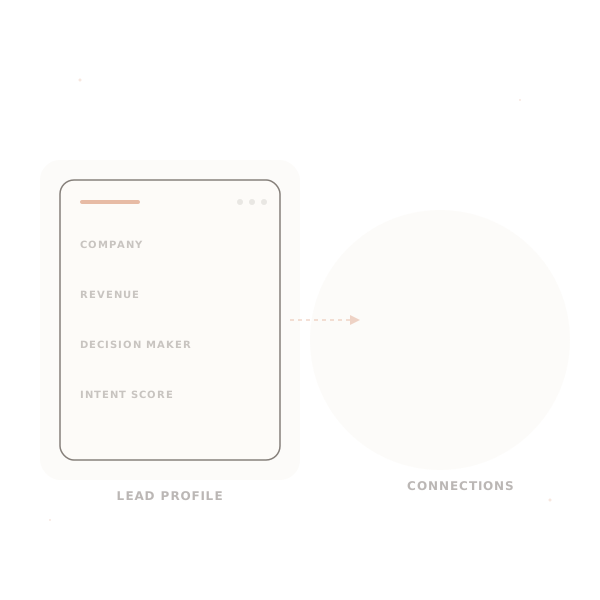
A scheduled job and an on-demand agent combine to enrich every account and prepare pre-call briefs. The enrichment pipeline pulls firmographic data from Apollo.io, technology stack from BuiltWith, recent news from Tavily, LinkedIn company data via their official API, and earnings transcripts from AlphaSense for public companies. Before every scheduled meeting, a brief-generation agent built on Claude Sonnet 4.5 pulls enriched account data, the rep's CRM notes, open opportunities, and tailored research for the meeting type (first meeting, technical deep-dive, executive sponsor, renewal). The brief is delivered to the rep's Slack 30 minutes before the meeting with recent news, relevant pain points, suggested questions, and competitive context. Signal-based alerts fire on real-time triggers (executive moves, funding events, earnings call mentions) tied to accounts in each rep's book.
How We Do It
Account Profile Enrichment
A scheduled enrichment job runs nightly. For each Salesforce account, the pipeline enriches with current data: employee count and revenue estimates from Apollo, tech stack from BuiltWith and G2 profiles, funding history from Crunchbase, recent news from Tavily filtered for materiality, job postings that signal business priorities from LinkedIn (hiring a VP of AI signals an AI initiative, hiring compliance signals regulatory pressure), and SEC filings for public companies. Enrichment writes back to Salesforce custom fields. Failure mode: a source changes its API or rate-limits aggressively. The pipeline handles retries, surfaces a degraded-source alert, and does not block other sources from running.
Pre-Call Brief Generation
A cron-driven agent watches upcoming meetings in each rep's Salesforce calendar. Thirty minutes before a meeting, it pulls the account, opportunity, contact data, prior meeting notes, and runs on-demand research through Tavily and LinkedIn. It generates a structured brief: recent company news (dated, material only), strategic context (earnings commentary themes for public companies, funding narrative for private), account history from the CRM, the buyer's LinkedIn profile summary, 3-5 meeting-type-specific discovery questions, and competitive context if a competitor is known to be in the deal. Delivered to Slack, email, or a mobile app. Failure mode: the meeting is with a contact not in the CRM. The agent runs enrichment on the email domain and the contact's LinkedIn, returns what it finds, and flags the gap.
Competitive Intelligence Integration
A competitive monitoring agent watches your named competitor list: their pricing pages, product launches, earnings calls and SEC filings (if public), blog posts, LinkedIn activity, and G2 reviews. When a competitor makes a relevant move (price change, new feature, major customer loss), the agent alerts reps who own accounts where that competitor is known to be in the deal. The alert includes suggested talking points aligned to your positioning playbook. Failure mode: a competitor's change is minor and not meaningful (a logo update). The agent's materiality filter prunes noise; the threshold is tunable per competitor.
Signal-Based Outreach Triggers
The system watches real-time signals: job postings on LinkedIn and company career pages, executive moves on LinkedIn, funding announcements via Crunchbase webhooks, earnings call transcripts via AlphaSense, and intent data from G2 and Bombora if licensed. Signals are scored for relevance to each rep's territory and the likely buyer profile. High-confidence signals (e.g. 'new VP of Data announced at an account with an open opportunity') generate either an alert or an automatically-created outreach task in Salesforce with suggested messaging. Failure mode: a signal fires on an account that's off-limits (in a competitive partnership, a do-not-contact list). The agent checks exclusion lists before creating tasks.
What You Get
Where this fits — and where it doesn't
Good fit when
- ✓B2B sales organizations with 15+ reps running structured meeting cadences, where research quality visibly affects win rate and rep productivity. The ROI is clearest when individual rep research time is measurable.
- ✓ICPs where public footprint is substantial: public companies, mid-market and enterprise private companies with news coverage, companies active on LinkedIn and hiring. The agent's coverage depends on the data that exists.
- ✓Teams using Salesforce or HubSpot with reasonably structured account and contact data. The agent reads and writes to the CRM; if the CRM is chaotic, the outputs reflect it.
Not a fit when
- ×SMB sales motions with high velocity and short deal cycles (inbound leads closing in a week), where per-deal research doesn't materially affect conversion. The overhead isn't worth the incremental lift.
- ×Markets where public footprint is sparse: private family businesses, regional operators, specific international markets with limited English-language coverage. Agent output is thin and the rep is better served by their network.
- ×Organizations without a defined ICP or positioning playbook. The agent produces generic briefs without tailored framing. Define the playbook first, then encode it into the brief templates.
Technology Stack
Integrates with
Industries We Serve
Frequently Asked Questions
What CRM systems do you integrate with?+
Can the AI research companies that are private and have limited public information?+
How do you handle data privacy, are you scraping in ways that cause legal issues?+
What does a pre-call brief actually look like?+
How does the agent handle edge cases it hasn't seen before?+
What happens when the agent is wrong?+
How do we audit every decision?+
How long to production?+
Ready to build this for your team?
We take this from concept to production deployment. Usually in 3–6 weeks.
Start Your Project →